Stripe vs App Stores: Fee Structures Compared

When it comes to payment processing for apps, Stripe, Apple App Store, and Google Play Store have very different fee structures. Here’s what you need to know:

  • Stripe charges 2.9% + $0.30 per transaction for domestic payments in the U.S., with options like ACH Direct Debit at 0.8% (capped at $5). Additional fees apply for international transactions and regional pricing and optional services like tax compliance.
  • Apple App Store takes a 30% commission on digital goods and subscriptions, reducing to 15% after 12 months for subscriptions or immediately for developers earning under $1 million annually.
  • Google Play Store also charges 30%, but subscriptions are charged 15% from day one, and developers earning under $1 million annually pay a 15% commission on all earnings.

Recent changes, such as Apple allowing external payment links and Google permitting third-party billing, give developers more flexibility to reduce fees.

Quick Comparison

Platform Standard Fee Subscription Fee Small Business Rate International Fees
Stripe 2.9% + $0.30 2.9% + $0.30 + 0.7% billing fee Custom for high volume +1.5% (cards) / +1% (conversion)
Apple App Store 30% 30% (Year 1), 15% (Year 2+) 15% (<$1M revenue) Included in commission
Google Play Store 30% 15% (from Day 1) 15% (<$1M revenue) Included in commission

Stripe offers lower fees and more control over pricing, but developers must handle tax compliance and chargebacks. App stores simplify operations but charge higher commissions and limit pricing flexibility. A hybrid approach - using app store billing for smaller purchases and Stripe for larger transactions - can help optimize revenue.

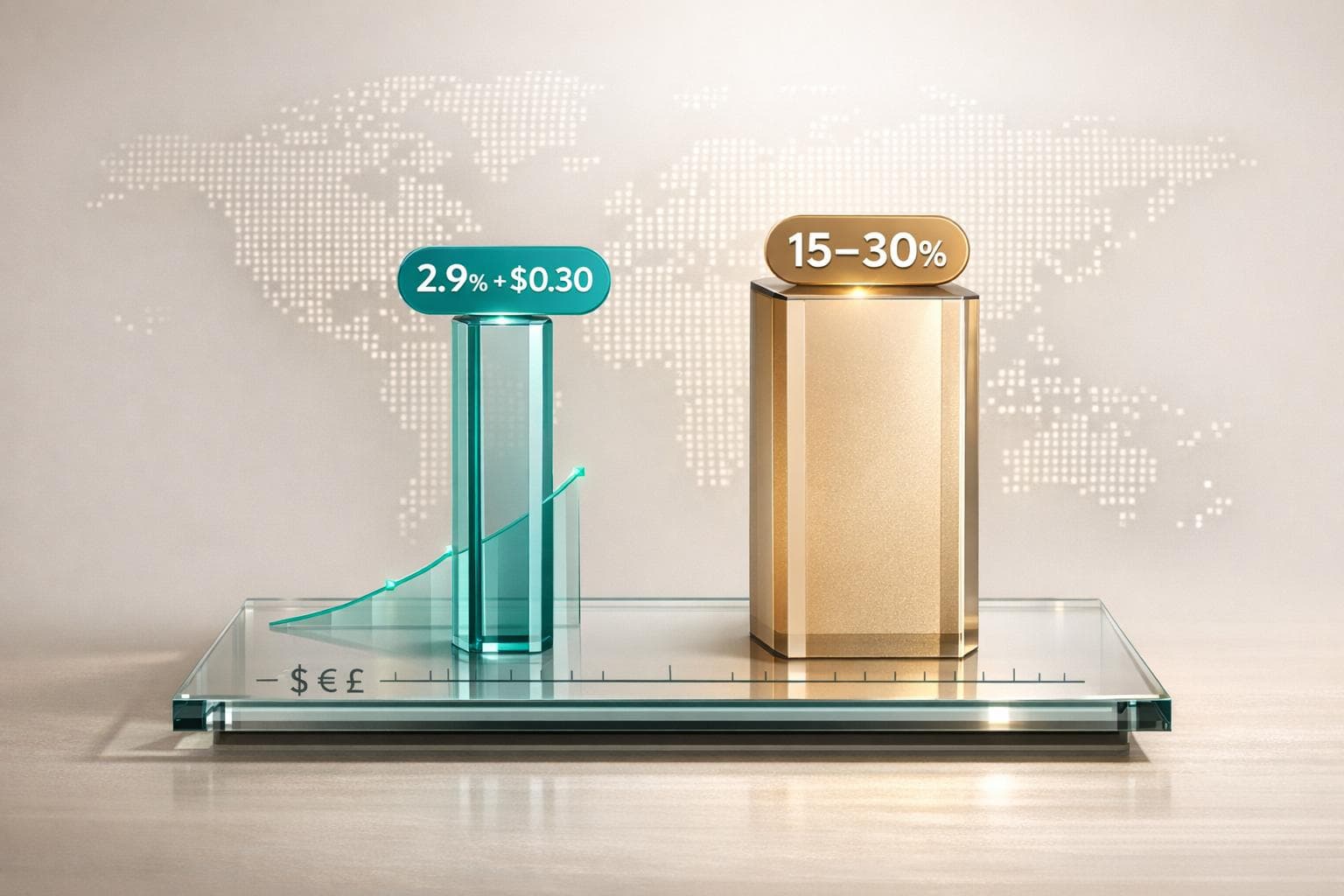
Stripe vs Apple App Store vs Google Play Store Fee Comparison

Stripe vs Apple App Store vs Google Play Store Fee Comparison

How To Legally Bypass Apple’s 30% Fee - Ariel Michaeli: Sub Club Podcast

How Stripe Charges Fees

Stripe

Stripe's fee structure is built around a pay-as-you-go model, offering a flexible alternative to the fixed commission systems used by app stores. With Stripe, you only pay when you process a transaction - there are no additional fixed fees[3][1]. This transparent approach makes it easier to anticipate costs compared to app store commission models.

Standard Transaction Fees

For domestic card payments in the U.S., Stripe charges 2.9% + $0.30 per successful transaction[3][1]. If you're handling high-value payments, ACH Direct Debit is a cost-effective option at 0.8% per transaction, capped at $5.00[3][6]. This cap is particularly useful for large transactions where percentage-based fees could otherwise grow significantly.

For in-person payments processed through Stripe Terminal, the rate is slightly lower at 2.7% + $0.05 per transaction[3]. Additionally, a $15 dispute fee applies for chargebacks, though this fee is refunded if the dispute is resolved in your favor[3][6].

Subscription Billing with Stripe

Stripe Billing supports recurring payments and gives you complete control over pricing[3][4]. Unlike app stores that restrict you to predefined pricing models, Stripe allows for custom options, including discounts, free trials, tiered pricing, and usage-based plans[7][4].

The standard transaction fee of 2.9% + $0.30 applies to each subscription payment[3][1]. If you choose Stripe's pay-as-you-go Billing plan, there's an additional 0.7% fee on billing volume[3][1]. Stripe also offers automated tools like Smart Retries and recovery workflows to help reduce involuntary churn. These tools have reportedly helped users recover over $6.5 billion in lost revenue in 2024[4]. Such features are generally unavailable in typical app store billing systems.

International Transactions and Additional Charges

For payments made with international cards, Stripe adds a 1.5% surcharge[3][1]. If currency conversion is required - such as when a customer pays in euros and you receive dollars - there’s an extra 1% fee[3][1]. When combined, international transaction fees can range between 4.4% and 5.4%.

For businesses expanding globally, Stripe offers Managed Payments, where it acts as the Merchant of Record, handling VAT, GST, and sales tax compliance in over 75 countries[3][4]. This service adds 3.5% per transaction on top of the standard payment fees[3]. However, it's important to note that if you issue a refund, Stripe does not return the original $0.30 fixed fee[8], unlike app stores that typically reverse their entire commission.

This detailed fee structure provides a solid basis for comparing Stripe's costs to the app store commissions discussed in the next section.

How Apple App Store Charges Fees

Apple App Store

Apple applies a percentage-based commission on digital sales made through its required billing system. Below, we’ll break down the standard rates, reduced fees for smaller developers, and other notable details about their fee structure.

Standard Commission Rates

For one-time in-app purchases and digital goods, Apple takes a 30% commission[2][10]. This same rate applies to auto-renewable subscriptions during the first year of paid service. However, after 12 months of continuous paid subscription, the commission drops to 15% for all subsequent renewals[2][10].

It’s worth noting that the 12-month timeline excludes any free trials or bonus periods but does include paid introductory offers. If a subscriber switches to a different subscription group, the one-year clock resets. On the other hand, changes like upgrades or downgrades within the same subscription group don’t affect the timeline. Unlike Stripe, which charges a flat per-transaction fee, Apple’s model adjusts based on how long a subscription lasts, which is a key factor when you test regional pricing for a mobile app.

Small Business Program

Apple offers a reduced commission rate through its Small Business Program for developers earning less than $1 million annually. These developers pay a 15% commission on all sales, including subscriptions, right from the start[10][11].

The $1 million threshold is calculated based on total proceeds - revenue after subtracting Apple’s commission and certain taxes. Understanding these deductions is vital, as regional price changes affect app revenue differently across global markets. If a developer’s proceeds exceed $1 million within a calendar year, the standard 30% rate kicks in for the remainder of that year. Should their revenue drop below $1 million in the following year, they can reapply for the reduced rate[12][13].

Other App Store Fees

Apple does not impose flat transaction fees or charge monthly platform fees. However, its billing system is mandatory for digital content. Physical goods, services, and reader apps - like Netflix or Kindle, where purchases happen outside the app - are exempt from commissions. Payments to developers are processed 30 days after the end of the month, provided they meet a minimum threshold of $10–$150. These details are essential when comparing Apple’s fee structure to alternatives like Stripe.

How Google Play Store Charges Fees

Google Play Store

Google Play, following Apple's lead, has implemented a fee structure tailored to different revenue levels and transaction types. Developers are required to use Google Play's billing system for all digital content, but the details of its fees set it apart from Apple's model.

Standard Commission Rates

For in-app digital purchases, Google charges a 30% commission once annual earnings exceed $1 million [14][5]. However, for auto-renewing subscriptions, Google applies a flat 15% rate from day one, simplifying what was previously a tiered system [14][5].

"We've heard that customer churn makes it challenging for subscription businesses to benefit from that reduced rate. So, we're simplifying things to ensure they can." - Google Blogpost [18]

This change means developers relying on recurring subscription revenue benefit significantly, as they pay half the rate compared to one-time purchases. This makes subscription-based apps an appealing option on Google Play.

Revenue Threshold Discounts

Google offers a 15% commission rate on the first $1 million of annual earnings for non-subscription in-app purchases and paid app downloads [14][5]. Developers must manually enroll in this program via the Play Console [15]. The $1 million threshold resets each calendar year on January 1 [15].

To qualify, developers need to create an "Account Group" linking their primary developer account with any associated accounts. Google calculates revenue across all linked accounts, so the $1 million cap applies to combined earnings, not individual accounts [15]. If an app is transferred between Account Groups during the year, its earnings are counted toward both groups' thresholds [15]. According to Google, 99% of developers paying service fees qualify for rates of 15% or less through various programs [5].

Billing Library Integration

Google mandates the use of the Google Play Billing Library for processing transactions related to digital goods and services [16][17]. This system automates processes like currency conversion, tax application, and recurring billing. However, transactions involving physical goods or services are exempt from this requirement [16].

The cost to register as a Google Play developer is a one-time fee of $25, with no annual renewal charges [14]. Additionally, in certain regions, developers using approved alternative billing systems can reduce their fees by up to 4 percentage points [14][5].

When viewed alongside Stripe and Apple's fee models, Google Play's structure highlights the diverse strategies developers must navigate to optimize their earnings.

Fee Comparison Across Platforms

Comparison Table

Here's a breakdown of how the fee structures differ between Stripe, the Apple App Store, and the Google Play Store. Stripe follows a percentage-plus-flat-fee model, while Apple and Google rely on commission-based pricing.

Feature Stripe Apple App Store Google Play Store
Standard Fee 2.9% + $0.30 30% 30%
Small Business Rate Custom for high volume 15% (up to $1M revenue) 15% (up to $1M revenue)
Subscription Fee 2.9% + $0.30 + 0.7% billing fee 30% (Year 1), 15% (Year 2+) 15% (from Day 1)
International Surcharge +1.5% (cards) / +1% (currency conversion) Varies by region/tax Varies by region/tax
$9.99 Subscription ~ $0.66 total $3.00 (Year 1) / $1.50 (Year 2+) $1.50
$4.99 In-App Purchase ~ $0.44 total $1.50 (Standard) / $0.75 (Small Biz) $0.75 (Standard) / $1.50 (>$1M)

This table highlights how costs differ for subscriptions and one-time in-app purchases, giving developers a clearer picture of which platform might align better with their revenue goals.

Another key factor is how international charges and emerging market pricing are handled. Stripe applies specific surcharges for cross-border transactions - 1.5% for cards and 1% for currency conversion. Apple and Google, on the other hand, include these costs within their commission rates, although local taxes may be deducted before payouts are made [2].

Subscription Fees Compared

Stripe vs. App Stores: Effective Rates

When comparing subscription fees, Stripe emerges as a more cost-effective option compared to App Store commissions. Stripe charges around 3.6% plus $0.30 per transaction, while Apple and Google typically take a 15% to 30% cut of your subscription revenue. For example, on $10,000 in monthly revenue, Stripe's fees amount to approximately $320, whereas Apple's standard 30% commission would cost about $3,000. Even with Apple's reduced 15% rate - available through programs like the Small Business Program or after the first year of a subscription - the fees remain significantly higher than Stripe's base rate.

App Stores do offer additional services, acting as the Merchant of Record by managing global tax compliance and localized pricing challenges. However, even with Stripe's optional Managed Payments feature, which adds a 3.5% surcharge, the total remains well below App Store rates.

Next, let’s explore how Stripe’s flexibility with cross-platform pricing sets it apart from traditional App Store billing.

Cross-Platform Pricing Flexibility

Stripe not only offers lower fees but also provides unparalleled pricing flexibility that App Stores simply don’t match. With Stripe, you have complete control over your pricing strategy across iOS, Android, and the web. This includes the ability to create custom discounts, usage-based billing models, and unique promotions - none of which are constrained by platform-defined pricing tiers. In contrast, App Stores restrict you to their predefined tiers and impose limitations on discounting or bundling options.

In a notable shift, Apple’s May 2025 policy update now allows U.S. developers to direct users to an external Stripe-powered checkout. This change enables developers to bypass App Store fees, potentially saving up to 90% in transaction costs.

"This means that for the first time, you can use a web-based checkout for digital goods or services, saving up to 90% in purchasing fees and converting those fees into additional revenue for your business." – Stripe Guide [9]

Additionally, Stripe offers a unified subscription management portal, allowing users to handle billing seamlessly across all platforms. This level of cross-platform integration is hard to replicate within the more rigid billing systems of the App Stores.

In-App Purchase Fees Compared

Let’s dive into how in-app purchase fees stack up, focusing on the differences between App Store commissions and Stripe's transaction fees.

Mandatory Platform Cuts by App Stores

App Stores like Apple's and Google's charge a commission of 15% to 30% on all digital goods and services sold through their platforms. For instance, if a user makes a $4.99 in-app purchase via Apple's payment system, the fee would range between $0.75 and $1.50, depending on the developer's eligibility for the reduced 15% rate under Apple's Small Business Program (available to those earning under $1 million annually). Importantly, these fees are non-refundable, even if the customer disputes the charge.

This commission applies strictly to digital content - such as subscriptions, virtual currency, or premium features - while physical goods and real-world services (like groceries, ride-sharing, or food delivery) are exempt. Developers selling these items can bypass App Store fees entirely by using alternative payment processors like Stripe.

"Apple typically sides with customers in dispute situations, often issuing refunds without much investigation. You lose the revenue, but Apple keeps their commission." – Erynn Ortanez [7]

Stripe's Per-Transaction Fees

Stripe offers a much more affordable fee structure compared to App Store commissions. For domestic transactions, Stripe charges 2.9% plus $0.30 per successful transaction [1]. On a $4.99 purchase, this comes out to about $0.44 in fees - a fraction of what App Stores take. For businesses with higher sales volumes, the savings can be substantial. For example, generating $10,000 in monthly revenue would result in approximately $320 in Stripe fees, compared to $3,000 in fees under a 30% App Store commission.

For international transactions, Stripe adds 1% to the base rate, bringing the total to 3.9% plus $0.30, with an additional 1% fee for currency conversion. Even with these extra costs, Stripe remains significantly cheaper. However, developers using Stripe must manage tax compliance themselves unless they opt for extra services like Stripe Tax or Managed Payments, which add an additional 3.5% per transaction [1].

Recent court rulings in May 2025 have given U.S. developers the ability to redirect users to Stripe-hosted web checkouts for digital goods. While this option offers lower fees, it may introduce a bit of friction compared to the seamless, one-tap experience of native in-app purchases [7]. For developers, this creates a balancing act between saving on fees and maintaining user conversion rates.

What Developers Should Consider

Choosing between Stripe and App Stores boils down to weighing costs, control, and scalability. These factors influence broader decisions around customer data access, payout schedules, and operational flexibility.

"The choice between Stripe vs Apple App Store payments isn't just about saving money on fees. It's about taking control of your payment processing, protecting yourself against chargebacks, and building direct relationships with your customers." [7]

Comparing Costs, Control, and Scalability

Beyond fee structures, developers need to assess how each platform handles revenue management, customer data, and operational complexity. Here's how Stripe, the Apple App Store, and Google Play Store stack up:

Factor Stripe Apple App Store Google Play Store
Standard Fee 2.9% + $0.30 30% (15% for Small Business Program) 15% first $1M, then 30%
Merchant of Record (default) Optional via Managed Payments (+3.5%) Included Included
Customer Data Access Full ownership of emails and billing info Limited/anonymized data Limited/anonymized data
Tax Compliance Developer's responsibility (or use Stripe Tax) Handled automatically in 80+ regions Handled automatically
Payout Schedule 5–7 days (instant for 1.5% fee) 30 days after month-end Few days after month-end
Chargeback Handling Stripe requires direct chargeback management, incurring a $15 fee per dispute Platform-managed (often pro-consumer) Platform-managed (often pro-consumer)
Pricing Flexibility Unlimited (metered, tiered, A/B testing) Fixed pricing tiers requiring approval Fixed pricing tiers requiring approval

For developers generating $50,000 in monthly revenue, Stripe's fees amount to roughly $1,480, compared to $15,000 with Apple's platform - a monthly savings of $13,520 [7]. However, using Stripe's Managed Payments or tax services adds a 3.5% fee, which reduces this margin.

Stripe excels in pricing flexibility, offering advanced features like tiered billing, metered subscriptions, and detailed customer analytics. On the other hand, App Stores simplify operations, handling tax compliance and chargebacks automatically. App Stores also shine in conversion rates, with features like one-tap biometric checkout boosting mobile purchases by up to 63% [19].

With Stripe, developers must manage global tax compliance unless they opt for additional services like Stripe Tax. Chargebacks are another consideration, as developers must gather evidence (e.g., login logs or support tickets) to dispute claims directly [20]. App Stores, acting as the Merchant of Record, take care of these complexities.

When to Choose Stripe vs App Stores

The best choice depends on your business model and growth needs. Here's how to decide:

  • App Stores are ideal for selling digital consumables like game currency or premium features, especially when seamless checkout experiences are crucial. They're also a great option for developers earning under $1 million annually, who qualify for the 15% Small Business Program rate and want minimal administrative work [7].
  • Stripe works better for physical goods, real-world services, or SaaS products where owning customer data is key for retention strategies. Stripe supports faster payouts (5–7 days versus monthly) and offers advanced billing options like usage-based pricing [20].

A hybrid approach is becoming popular. Developers often use App Store billing for in-app digital content to comply with platform policies, while directing high-value subscriptions to a Stripe-powered web portal. Recent policy updates even allow U.S. developers to link to external websites for digital purchases or use third-party payment processors directly in Android apps [4]. This strategy balances ease of use for impulse purchases with better margins on recurring revenue.

For developers managing subscriptions across multiple platforms, tools like Mirava can help optimize pricing by region. This ensures you're setting competitive rates without overcharging or undercharging users in different markets.

Conclusion

Main Points

Stripe charges a 2.9% + $0.30 fee per transaction [1], while Apple and Google typically take 15% to 30% of revenue [2]. For developers earning $10,000 in monthly revenue, Stripe’s fees amount to approximately $320, a stark contrast to Apple’s standard fee of $3,000 [7].

App Stores simplify operations by automating tasks like tax compliance, fraud management, and chargebacks. They also boast conversion rates up to 63% higher than mobile web [19]. However, this convenience comes with trade-offs: limited access to customer data and less flexibility in pricing.

Stripe, on the other hand, provides developers with full control over customer relationships, flexible billing options, and faster payouts - usually within 5–7 days, compared to the monthly disbursements typical of App Stores. Recent regulatory changes now allow U.S. developers to link to external payment systems, potentially cutting processing fees by up to 90% [4][9]. This shift enables hybrid strategies, where developers can use App Store billing for smaller, impulse purchases while directing high-value subscriptions to Stripe-powered web checkouts.

These differences in fees and control underline the importance of carefully choosing a payment processing strategy to maximize revenue.

Next Steps for Developers

With these fee comparisons in mind, developers need to assess which approach best fits their revenue goals. For businesses selling digital consumables or earning under $1 million annually, the App Store’s 15% Small Business Program and built-in tools may offer the most convenience. On the other hand, for physical goods, SaaS products, or cross-platform subscriptions where profit margins are critical, Stripe’s lower fees and advanced analytics can provide a significant advantage.

While App Store billing offers ease of use and higher conversions, Stripe stands out for its cost savings and control. A hybrid approach could be the key: use native billing for smaller, compliance-driven transactions while channeling high-value customers to web-based checkouts for better margins. Tools like Mirava can further refine your strategy by implementing purchasing power parity pricing, ensuring you maximize revenue across all platforms. For those ready to implement this, follow our guide on how to set up PPP pricing to capture global demand.

FAQs

When is Stripe cheaper than App Store or Google Play for subscriptions?

Stripe often proves to be a more cost-effective option for handling subscriptions compared to the App Store or Google Play, primarily due to its lower transaction fees. Stripe charges a standard fee of 2.9% + $0.30 per transaction, with an additional 0.7% for subscription management. In contrast, Apple and Google typically take a 15%–30% commission on subscriptions.

For businesses managing large volumes of revenue, these lower fees can translate into significant cost savings. Beyond the financial benefits, Stripe also provides greater flexibility and control over billing and revenue management, making it a popular choice for companies aiming to optimize their subscription processes.

How do refunds and chargebacks affect Stripe vs app store fees?

Refunds and chargebacks affect Stripe and app store fees in distinct ways. With Stripe, processing fees are non-refundable, meaning merchants won't recover these costs even if a transaction is reversed. Additionally, disputes can lead to extra complications, such as losses from currency conversion fluctuations.

On the other hand, app stores like Apple and Google handle fees differently. They deduct platform fees - usually between 15% to 30% - right away and do not refund these fees in cases of refunds or chargebacks. This approach often leaves merchants facing higher net costs with app stores compared to Stripe when disputes arise.

Can I use Stripe for iOS or Android digital purchases without breaking rules?

Yes, you can use Stripe for digital purchases on both iOS and Android, but there are a few important points to keep in mind.

For iOS, developers are allowed to direct users to external payment options, such as Stripe, through external links - as long as this aligns with Apple's guidelines. On the Android side, Stripe is usually acceptable for digital purchases.

To stay on the safe side, always double-check platform-specific policies and keep up with any legal or policy updates to ensure compliance.

Related Blog Posts