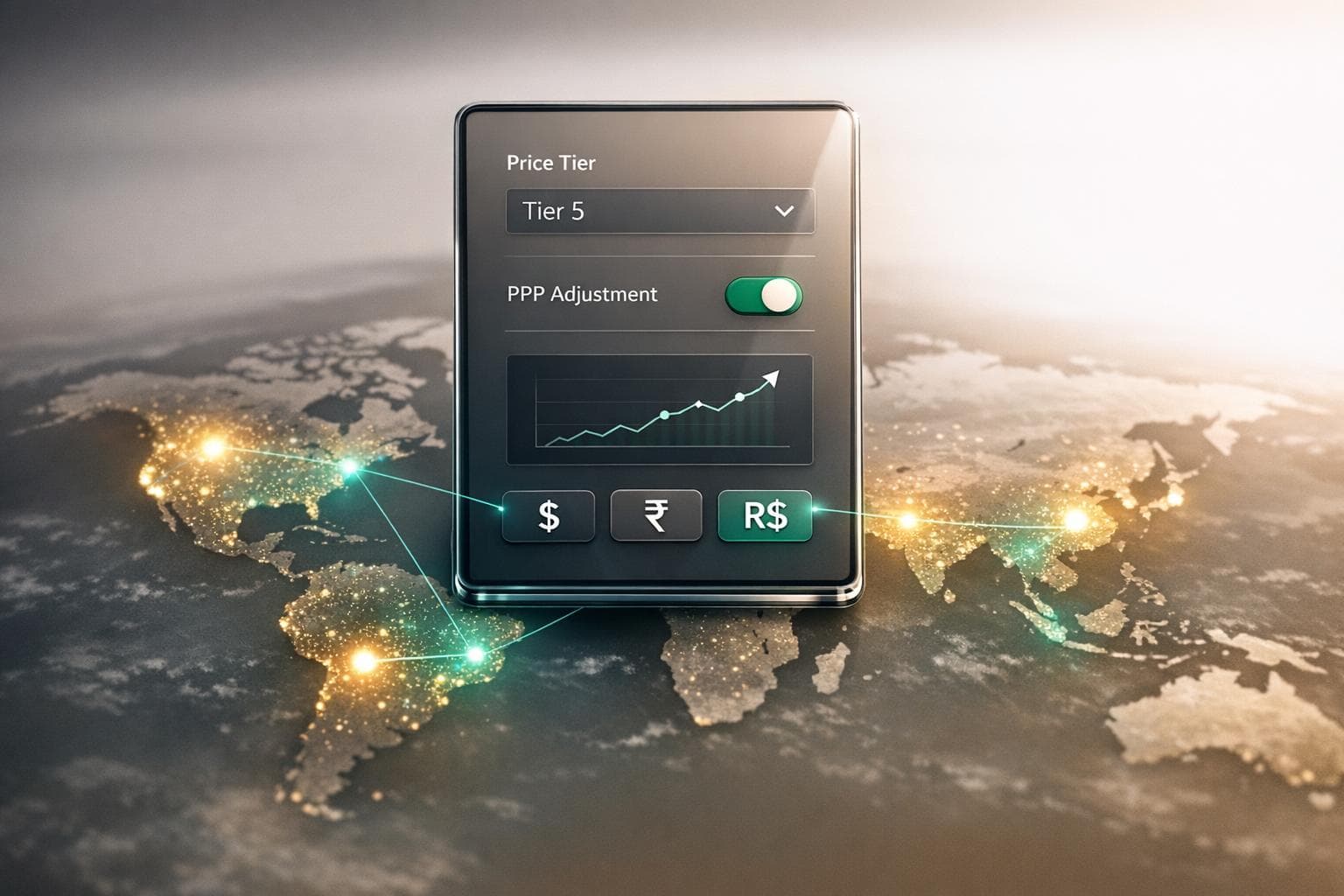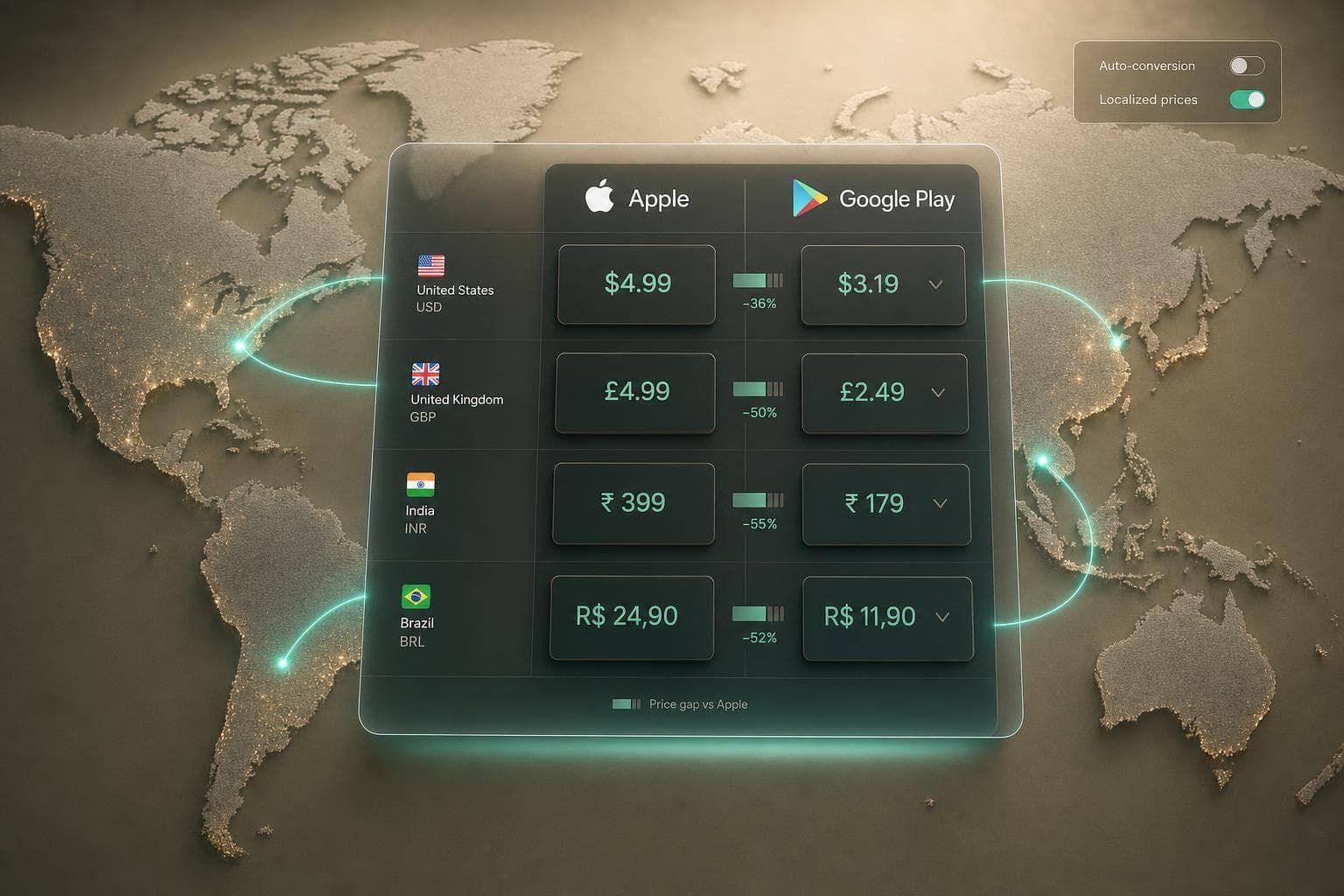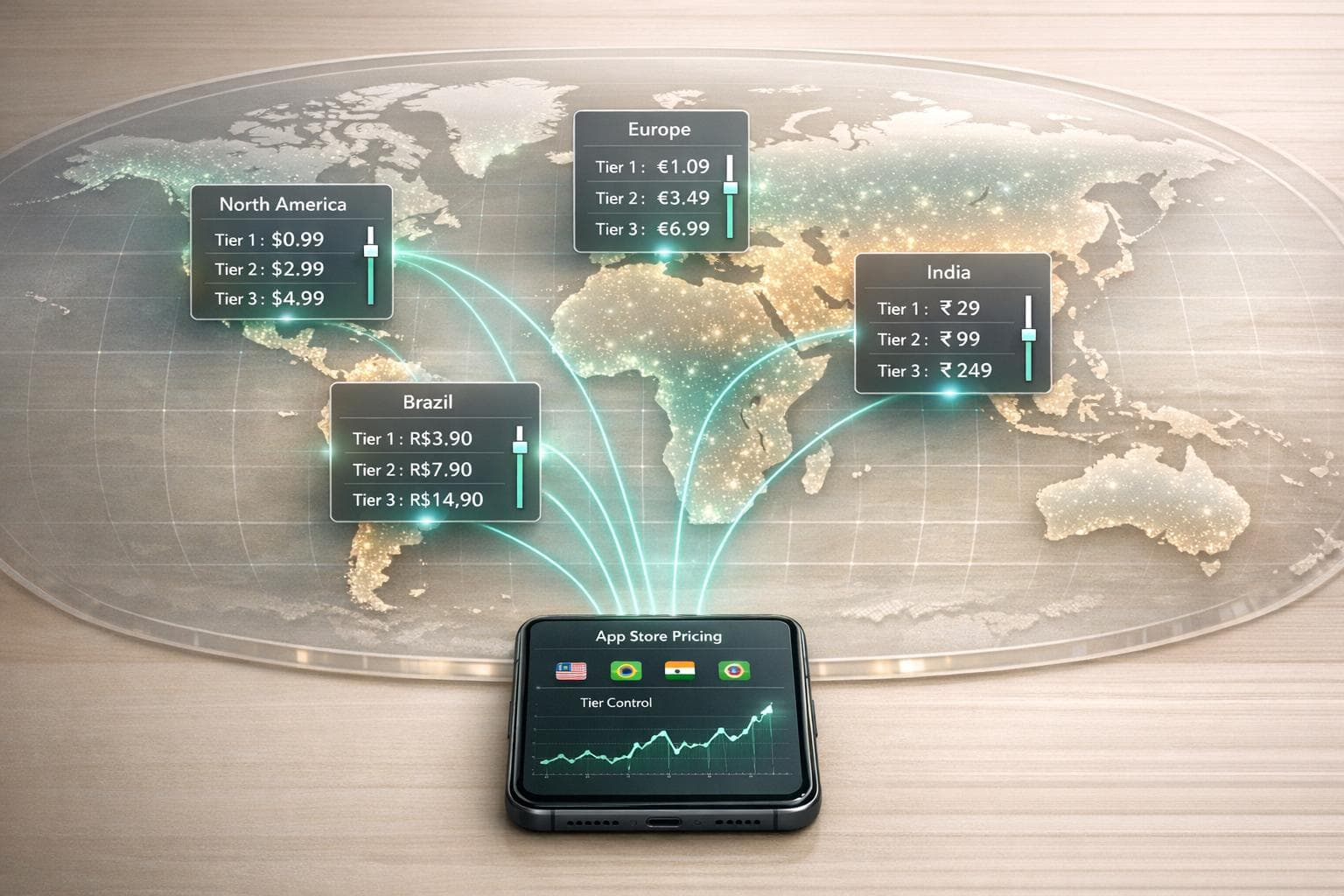
Apple's App Store pricing system offers 900 price points across 175 storefronts and 44 currencies, allowing developers to manage global app pricing efficiently. Each price tier corresponds to a fixed price in every supported currency, simplifying the process of setting and managing costs across regions. For example, choosing "Tier 1" prices an app at $0.99 in the U.S., €1.19 in the EU, ¥160 in Japan, and ₹89 in India.
Key Points:
- Automatic Pricing: Apple calculates regional prices based on exchange rates, VAT, and local conventions (e.g., prices ending in .99 in the U.S. or rounded to ¥100 in Japan).
- Manual Pricing: Developers can override automatic adjustments to set custom, region-specific prices.
- Subscription Pricing: Subscription rates must be manually updated and are not included in Apple's automatic adjustments.
- Commission Rates: Apple takes 15% for Small Business Program members (<$1M revenue) and 30% for others, with regional variations (e.g., 12% in China for small developers).
- Global Adjustments: Apple periodically updates prices to reflect currency and tax changes, ensuring consistency across regions.
Pricing Insights:
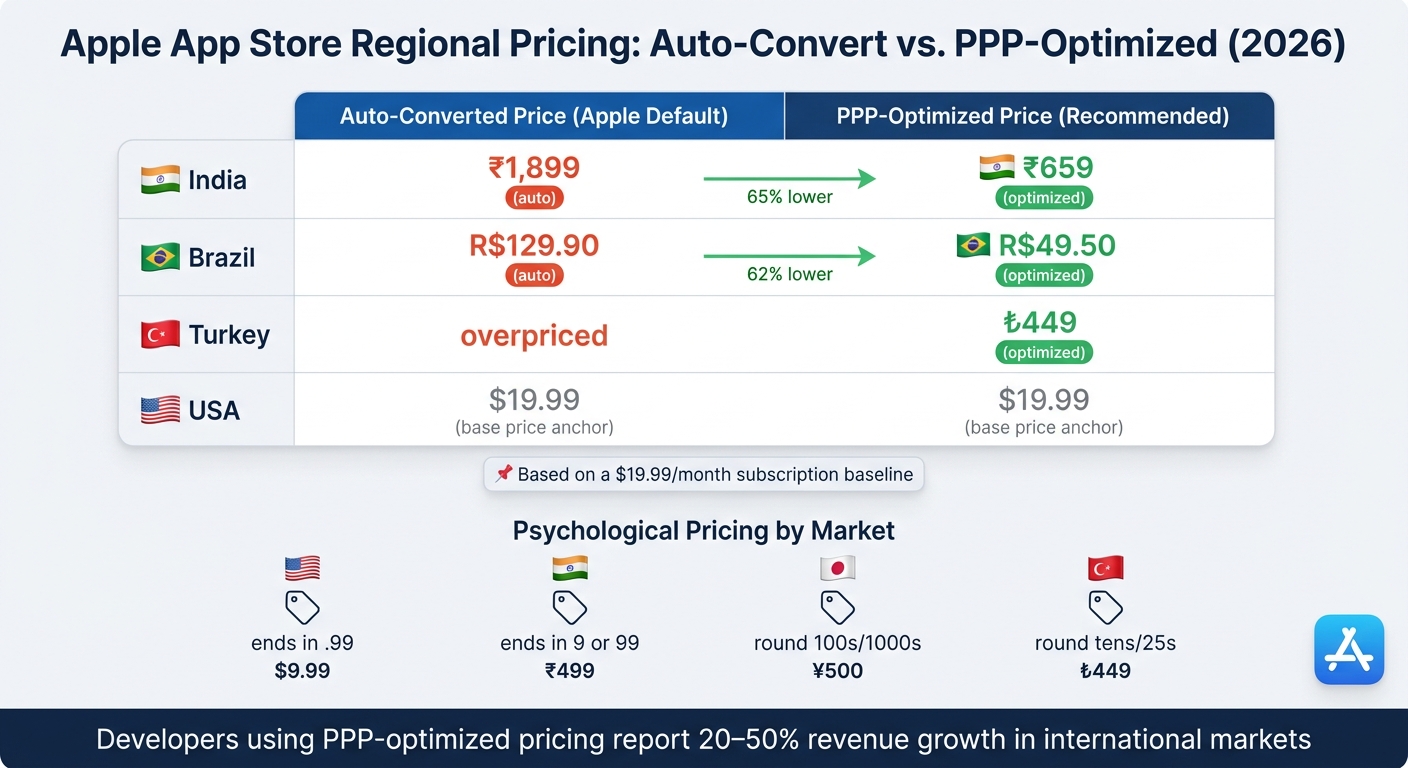
- Regional Optimisation: Auto-converted prices often overshoot affordability in emerging markets like India or Brazil. For instance, a $19.99 subscription might auto-convert to ₹1,899 in India, but a locally optimized price around ₹659 could drive higher conversions.
- Psychological Pricing: Aligning prices with local norms (e.g., ₹499 in India or ¥500 in Japan) improves user perception and sales.
- Tools for Developers: Platforms like Mirava, RevenueCat, and Adapty help manage pricing, subscriptions, and paywalls efficiently.
Practical Takeaway:
To maximize revenue, start with a U.S. baseline price, adjust for purchasing power in emerging markets, and use tools like Mirava for data-driven pricing recommendations. Regularly review prices, especially in volatile markets, to maintain competitiveness and revenue stability.
Core Structure of App Store Price Tiers
Standard and Higher Price Points
Apple's pricing system includes an extensive ladder with 900 price points: 800 standard tiers and an additional 100 premium tiers, which go up to $10,000 and are available by request [3]. The pricing starts as low as $0.29, with incremental steps of $0.10 up to $9.99. Beyond that, increments shift to $1.00, and for tiers exceeding $199.99, the step increases to $100.00 [8].
Each price point is localized to align with regional pricing norms. For instance, prices in the U.S. typically end in .99, while in Japan, they round to the nearest ¥100, and in China, they often end in 8.
| Tier | USD | EUR (VAT incl.) | JPY | INR | BRL |
|---|---|---|---|---|---|
| Tier 1 | $0.99 | €1.19 | ¥160 | ₹89 | R$5.90 |
| Tier 5 | $4.99 | €5.99 | ¥800 | ₹449 | R$26.90 |
| Tier 10 | $9.99 | €10.99 | ¥1,600 | ₹830 | R$54.90 |
| Tier 20 | $19.99 | €21.99 | ¥3,200 | ₹1,700 | R$109.90 |
| Tier 50 | $49.99 | €54.99 | ¥8,000 | ₹4,400 | R$269.90 |
Approximate mapping as of 2026
Eurozone prices are generally 10–15% higher than U.S. prices due to VAT being included in European pricing, whereas U.S. prices are listed before sales tax.
"Prices are globally equalized before tax, which means customers in each country pay approximately the same amount as your base price, but with local taxes added on top." - Camille, App Store Pricing Team [5]
This pricing framework provides a consistent foundation for tailoring strategies to specific products. Understanding how regional pricing boosts revenue is essential for maximizing these global tiers.
How Tiers Apply to Different Product Types
Apple's 900-tier system applies universally across all purchasable items on the App Store. This includes paid apps, consumable and non-consumable in-app purchases, and auto-renewable subscriptions [3][7]. While Apple automatically updates regional pricing for paid apps and in-app purchases to account for tax or currency fluctuations, subscription pricing is not adjusted automatically. Developers need to manually update subscription rates, although they can opt for "price preservation" (commonly called "grandfathering"), allowing existing subscribers to retain their current rate even when prices increase [7].
This unified tier system simplifies pricing management but requires developers to actively monitor and adjust subscription pricing to maintain competitiveness and revenue stability.
Commission and Revenue Implications
Apple deducts its commission before developers receive revenue, with rates determined by the developer's program status. Members of the Small Business Program, who earn less than $1 million annually, pay a reduced commission of 15%. Developers outside the program are subject to the standard 30% fee [7]. In March 2026, Apple lowered commission rates in China to 25% for standard in-app purchases and 12% for Small Business Program participants.
For example, at Tier 10 ($9.99 in the U.S.), a developer paying the standard 30% commission earns approximately $6.99 per transaction, while a Small Business Program member retains about $8.49. It’s important to note that revenue is calculated after taxes, so the gross price customers see doesn’t directly reflect the developer’s earnings.
A price point is one specific rung on Apple's official pricing ladder - you pick it once in your base region, and every country moves together from there.
This commission structure makes tier selection a critical decision, as even a small change - like moving from $9.99 to $10.99 - can affect overall revenue significantly. At scale, these decisions can have a considerable impact on annual earnings.
sbb-itb-43fe43a
Managing Price Tiers in App Store Connect
Setting a Base Price
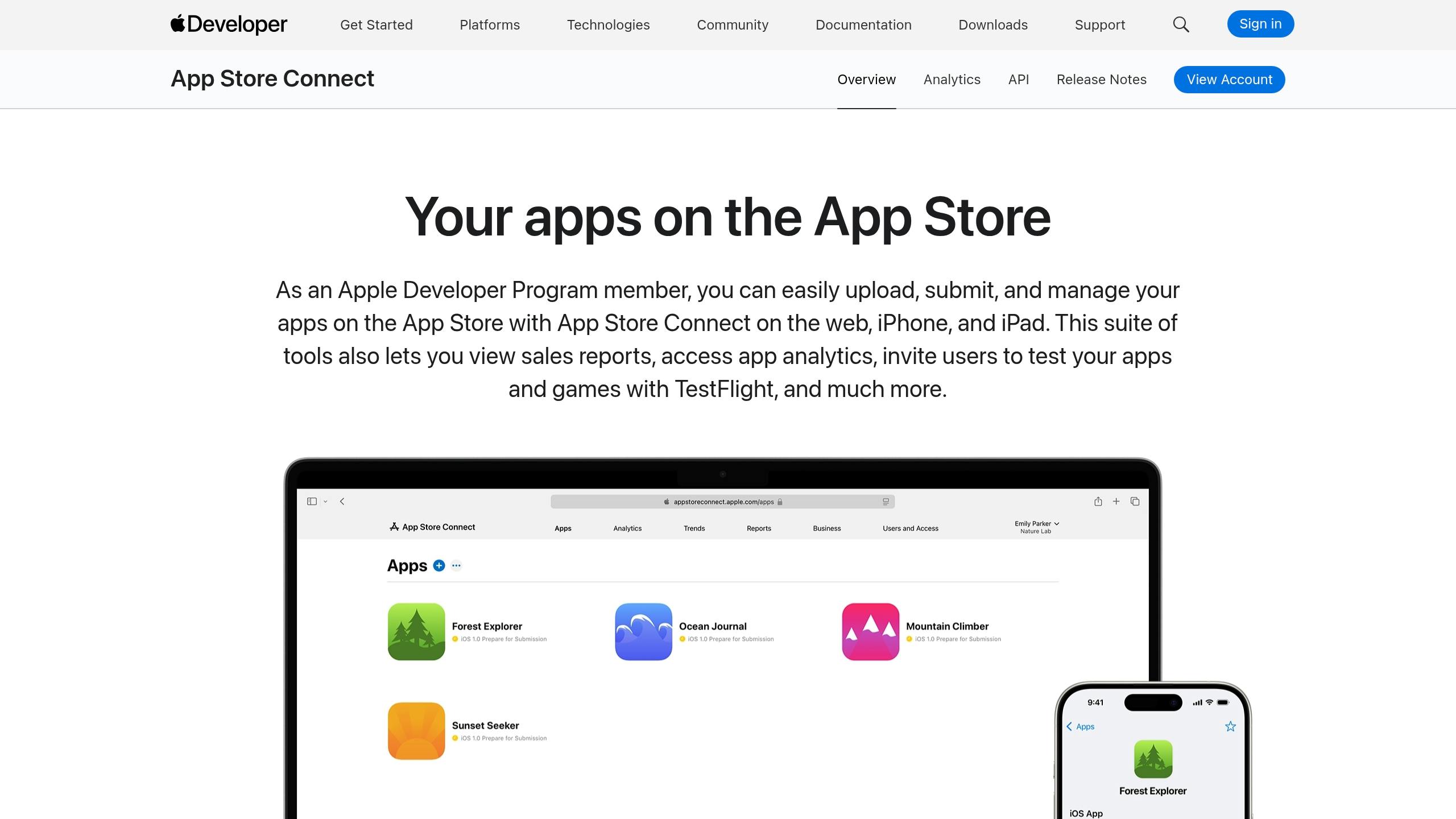
In App Store Connect, every pricing strategy begins with selecting a base country or region. This choice acts as the foundation for your global pricing, as Apple uses it to calculate prices for 174 other storefronts. This decision plays a critical role in shaping your overall app pricing strategy and influences your global revenue potential.
After choosing your base region, you’ll select a price point from Apple’s predefined ladder. By default, there are 800 standard price points, with an additional 100 higher tiers available upon request [4][5]. It’s wise to pick a base region with a stable currency, as volatile currencies can lead to frequent and unpredictable pricing changes across all storefronts [5].
For apps created before March 9, 2023, the United States is automatically set as the base region. If the U.S. isn’t your primary market, you may want to update this setting [3].
"Apple will never change the price in your base country or region, and will always notify you in advance of changes on other storefronts." - Apple Developer Help [4]
Once your base price is configured, you can manage regional pricing using either automatic or manual controls.
Automatic vs. Manual Regional Pricing
Apple provides two ways to handle regional pricing: automatic or manual. Each has its benefits and trade-offs, depending on your target markets.
With automatic pricing, Apple adjusts regional prices to account for exchange rates and tax changes while adhering to local pricing conventions - for example, prices ending in .99 in the U.S. or rounded numbers in Japan. Automatic updates typically occur when a currency fluctuates by 10% or more over a period of roughly six months [5]. You’ll receive at least 14 days' notice in App Store Connect before these changes take effect [3].
Manual pricing, on the other hand, gives you complete control over regional prices. However, once you set a custom price for a region, Apple stops applying automatic adjustments there [4][12]. The table below highlights when each approach might be appropriate:
| Approach | Best For | Trade-off |
|---|---|---|
| Automatic | Developed markets (Canada, UK, Japan) | Prices may change without your input |
| Manual (Custom) | Price-sensitive markets (India, Brazil, Turkey) | You must monitor FX and tax changes yourself |
| Promotional | Seasonal offers (up to one year) | Auto-adjustments pause during the promotion window |
"If you select your own prices, you will not benefit from the automatic repricing for foreign exchange and tax, and you will be responsible for reflecting those changes in your prices." - Camille, App Store Pricing Team [5]
Subscriptions require special handling. Apple does not apply automatic price adjustments to auto-renewable subscriptions, even if you use automatic pricing elsewhere. Any subscription price changes must be made manually [5].
Scheduling Price Changes
Once your pricing is set, App Store Connect allows you to schedule changes to maintain flexibility. You can choose from three types of price changes: global, temporary, and custom.
- A global change updates your base price and prompts Apple to recalculate prices for all automatically managed regions.
- A temporary change lets you set a start and end date for a specific promotion, such as a 3-day discount. During this period, automatic adjustments are paused, and prices revert to their original state after the promotion ends.
- A custom change fixes a price for a specific region permanently, disabling Apple’s automatic updates for that region going forward [12].
Keep in mind that changing your base region or setting a custom price for it disables automatic adjustments for all 174 regions [3]. This is a significant decision, so proceed carefully.
For subscriptions, you have the option to grandfather existing subscribers when increasing prices. This means current subscribers can keep their original rate, while new users pay the updated price. This approach can help minimize churn during price increases [7].
Regional Pricing Strategy and Optimization
Apple App Store Regional Pricing: Auto-Convert vs. PPP-Optimized Prices (2026)
Global vs. Regional Pricing
Setting a single global price may seem efficient, but it often leaves money on the table. Take a $19.99 subscription as an example. If you let Apple auto-convert this price globally, you end up with amounts like ₹1,899 in India or R$129.90 in Brazil. While these prices might work in the U.S., they can be prohibitively expensive in regions with lower purchasing power.
The difference is striking. A more regionally tailored price for India would be around ₹659, and for Brazil, closer to R$49.50 - reductions of 65% and 62%, respectively. When prices remain at the auto-converted level, many potential users simply won’t subscribe.
Regional pricing also allows for premium strategies in specific markets. For instance, Duolingo charges higher prices in France and Spain than in the U.S. because learning English carries greater professional value in those countries, making users more willing to pay more [16].
This highlights the importance of understanding how to set up purchasing power parity pricing, which goes beyond simple currency conversion.
Psychological Pricing and Purchasing Power Parity
While exchange rates show the nominal value of a currency, purchasing power parity (PPP) reflects how prices feel to local consumers. For example, in India, $1 USD has about 3.6 times the purchasing power it does in the U.S. A price that seems like a minor expense in the U.S. can feel like a significant financial burden in India.
Pricing psychology varies by region as well. Raw currency conversions can result in awkward figures like ₱202.33 or ₹1,612, which don’t align with local norms. Each market has its own preferences for rounding:
| Market | Preferred Endings | Example |
|---|---|---|
| United States | .99 | $9.99, $19.99 |
| India | 9 or 99 | ₹79, ₹499 |
| Japan | Round 100s or 1,000s | ¥500, ¥1,000 |
| Turkey | Round tens or twenty-fives | ₺449, ₺475 |
Interestingly, in Japan, pricing too low can backfire. A price like ¥160 might signal inferior quality, whereas ¥250 or ¥480 is often perceived as more credible [15].
If your app’s conversion rate in a specific market is significantly lower than in top-performing regions, but download numbers remain steady, it’s likely a pricing issue rather than a product problem [16].
"If your conversion rate in India is five times lower than in Canada, Australia, or US, well, there's some mismatch, right?" - Jacob Rushfinn, Founder, Rushfinn Consulting [16]
Using Mirava for Pricing Intelligence
Customizing prices across 175 storefronts for even a handful of SKUs can mean managing over 1,000 inputs. Add fluctuating exchange rates to the mix, and manual adjustments quickly become overwhelming.
Mirava simplifies this process. Instead of relying solely on exchange rates or generic PPP data, it uses a proprietary pricing index based on real-world subscription data from services like Netflix, Spotify, Apple, and YouTube. This enables Mirava to calculate what users in each region are actually willing to pay. It also applies local rounding rules to ensure prices look natural to consumers.
Mirava integrates seamlessly with tools like RevenueCat, Adapty, Purchasely, and Superwall. Once Mirava calculates the optimal prices, these platforms handle billing, paywalls, and entitlement logic. Updated prices are automatically pushed to the App Store, eliminating the need for SDK updates or code changes [18].
"Regional pricing is one of the fastest, highest-ROI growth moves available today. You don't need a new feature - you need better economics." - Demian Voorhagen, Mirava
Practical Workflow for Price Tier Planning
Setting Target Prices and Tiers
To create a solid pricing strategy, start with your U.S. price as the baseline. Select a familiar price point - like $9.99, $19.99, or $49.99 - and build your global pricing around it. In key markets such as the UK and Germany, Apple's auto-conversion tends to result in prices that are 10–25% lower than the U.S. equivalent once VAT is factored in. However, in rapidly growing markets like India, Brazil, Turkey, and Indonesia, auto-conversion often overshoots local affordability, landing prices 2× to 3× higher than what users in those regions can reasonably pay.
To adjust for these disparities, calculate a target price using the formula: (PPP_country / PPP_base) × base_price. Then, round it to a natural, locally familiar figure (e.g., ₹499, R$49.90, or ₺449). Keep in mind that subscription prices remain static unless manually updated.
Configuring and Testing Price Tiers
Once you’ve established target prices, configure these tiers in App Store Connect. Switch affected territories from automatic to manual pricing and select the nearest available option from Apple's fixed ladder of roughly 900 price points [3].
Test your pricing setup in a sandbox environment using the App Store Connect API's appPriceSchedules resource to ensure that the correct tier and paywall display are functioning as intended [3]. Tools like Mirava can simplify this process by enabling bulk updates across all 175 territories, significantly speeding up the process compared to manual edits.
Keep in mind that App Store prices are tier-locked, not rate-locked: once a local price is set, it stays fixed regardless of exchange-rate movement.
Iterating Based on Performance Data
After rolling out your pricing, track revenue-per-install by territory to gauge effectiveness. A drop of more than 30% in revenue-per-install, while install volumes remain steady, often indicates that pricing needs adjustment.
When experimenting with price changes, avoid small increments like $39.99 versus $43.99. Instead, test broader differences such as $39.99 versus $59.99 over a 3–6 month period to fully understand the impact on lifetime value and retention [16]. For instance, Flo, a period tracking app, successfully restructured its pricing in Brazil in 2025. This adjustment helped Brazil become its third-largest market and drove 80% growth in non-English-speaking regions, compared to a 35% increase in English-speaking ones [16].
For long-term success, establish a consistent review schedule. Stable markets like the U.S., UK, and EU benefit from semi-annual reviews, while growth markets such as Brazil, India, and South Korea require quarterly checks. In volatile markets like Turkey and Argentina, where inflation can quickly disrupt pricing, monthly reviews are essential. Mirava’s dashboard can help by automatically identifying pricing drift, reducing the need for constant manual monitoring.
Compliance and Policy Considerations
When setting up a pricing structure, developers must also address compliance and policy requirements to ensure smooth operations.
Apple's Rules for In-App Purchase Pricing
To enable paid sales on the App Store, developers must accept Apple's latest Paid Apps Agreement. Without this agreement, paid apps and in-app purchases cannot go live [19][12].
Apple provides a standardized pricing model, with an additional 100 premium price points available upon request [19][3]. Developers must select a base country to anchor global pricing adjustments. However, switching the base region resets all existing pricing schedules [3]. Once you opt into custom price points for a territory, you've taken responsibility for that price - Apple won't auto-update it when the tier table refreshes.
These rules underline the importance of keeping your pricing strategy compliant and effective across different regions.
Tax, Currency, and Regulatory Factors
Apple automatically adjusts non-subscription pricing to reflect changes in taxes and currency rates. However, auto-renewable subscriptions are not included in these updates. For instance, if VAT increases in a specific market, your proceeds will decrease unless you manually update the subscription price.
In January 2026, Apple implemented tax and pricing changes across nine countries. Below are the key updates:
| Country | Change | Price Impact |
|---|---|---|
| Kazakhstan | VAT increased from 12% to 16% | Increase |
| Mauritius | New 15% VAT (effective Feb 16, 2026) | Increase |
| Bhutan | New 5% Goods and Services Tax | Increase |
| Russia | VAT increased from 20% to 22% | Increase |
| Turkey | Digital Sales Tax decreased from 7.5% to 5% | Slight decrease |
| Ghana | COVID-19 Health Recovery Levy removed | Decrease |
| Zimbabwe | VAT increased from 15% to 15.5% | Slight increase |
Additionally, Bulgaria switched its App Store currency from BGN to EUR on January 1, 2026. Developers with manually set prices in Bulgaria must review and adjust them accordingly.
It's also worth noting that European price points are typically 10–15% higher than their USD equivalents because VAT is included in EUR prices, while U.S. prices exclude it.
Understanding tax adjustments, refund handling, and subscription proration is essential to maintaining revenue stability.
Refunds and Subscription Proration
Apple manages refunds directly with users, and any refunded revenue is reclaimed based on the tier price at the time of purchase, not the current price.
For subscriptions, price increases require an additional compliance step. Apple mandates explicit user consent in certain cases [7]:
| Scenario | Consent Required? |
|---|---|
| Non-annual plan: increase >50% of price and >$5 | Yes |
| Annual plan: increase >50% of price and >$50 | Yes |
| Any plan: second increase within 12 months | Yes |
In regions like India, the consent process includes extra steps. For UPI AutoPay subscribers, a price increase triggers a manual re-authorization. If the user doesn't act, their subscription enters a billing retry state at the end of the current period [7]. Tools like RevenueCat and Adapty can help apps display these consent and billing states effectively, reducing the risk of silent churn when subscription prices change.
"Retail price changes initiated by Apple due to tax changes and significant foreign exchange rate movements will exclude auto-renewable subscriptions." - Apple Developer Help [7]
Conclusion and Key Takeaways
Apple’s price tier system offers 900 price points across 175 storefronts and 44 currencies. When used thoughtfully, these tools empower developers to fine-tune pricing for global audiences with precision.
The effectiveness of your pricing strategy depends on tailoring it to specific markets. A common pitfall is relying solely on Apple’s default auto-conversion, which uses nominal exchange rates instead of reflecting local affordability. For instance, a $19.99 subscription translates to about ₹1,660 through auto-conversion, whereas a purchasing power parity (PPP)-adjusted price could be three to four times lower. Ignoring this gap often leads to missed conversions.
"Your app should feel made for them, not exported to them." - Demian Voorhagen, Founder, Mirava
To optimize pricing, start with USD as your anchor and manually adjust for low-PPP markets like India, Brazil, and Turkey. Use culturally familiar price endings to enhance local appeal. Pricing isn’t a one-and-done task - currency fluctuations are constant, and a 15% shift in exchange rates over a quarter could silently eat into your margins if left unaddressed. Tools like Mirava, in combination with platforms such as RevenueCat, Adapty, Purchasely, and Superwall, simplify this process. They transform the complexity of managing over 1,000 pricing inputs into a structured, repeatable workflow.
Developers achieving 20–50% revenue growth in international markets aren’t using secret tricks - they’re simply pricing for the realities of today’s global marketplace. By consistently aligning prices with local purchasing power, you can unlock steady revenue growth across the world.
FAQs
How do I choose the best base country for App Store pricing?
When deciding on your anchor price, pick the country you understand most thoroughly and where maintaining price stability aligns with your goals. Apple calculates equivalent prices in other regions based on this base price, but it won’t account for shifts in taxes or currency rates. Focus on a market that complements your broader pricing strategy, and take a close look at local pricing - particularly in regions where customers are more price-conscious. If necessary, make manual adjustments to fine-tune prices in specific countries for better alignment.
When should I use automatic pricing vs. custom prices by country?
When aiming for simple and consistent pricing across regions, Apple’s automatic pricing is a solid choice, especially if your primary focus isn’t on highly price-sensitive markets. However, for regions where purchasing power varies significantly or local price perception plays a key role - like lower-income areas or countries with volatile currencies - customizing country-specific prices becomes essential. In such cases, relying solely on Apple’s defaults can lead to prices being two to three times higher than what’s reasonable for those markets.
A balanced strategy often works best: automate pricing where it makes sense to save time, but step in to adjust manually for regions that require special attention. This approach ensures your pricing remains competitive while staying aligned with Apple’s tier system.
How do I change subscription prices without losing existing subscribers?
When you adjust subscription pricing on Apple platforms, existing subscribers are usually grandfathered into their original rates. This means they continue paying the old price, while only new subscribers are charged the updated rate.
However, if you raise prices by more than 50% or approximately $5 per billing period, Apple requires explicit user consent to proceed. This extra step can lead to churn, as some users might decline the new terms. For smaller price increases, Apple automatically notifies users without requiring their approval.
To navigate these changes effectively, tools like Mirava can help fine-tune pricing strategies, while platforms such as RevenueCat and Adapty handle the complexities of billing transitions seamlessly.